2. Apple Search Ads (ASA) Auction Simulation
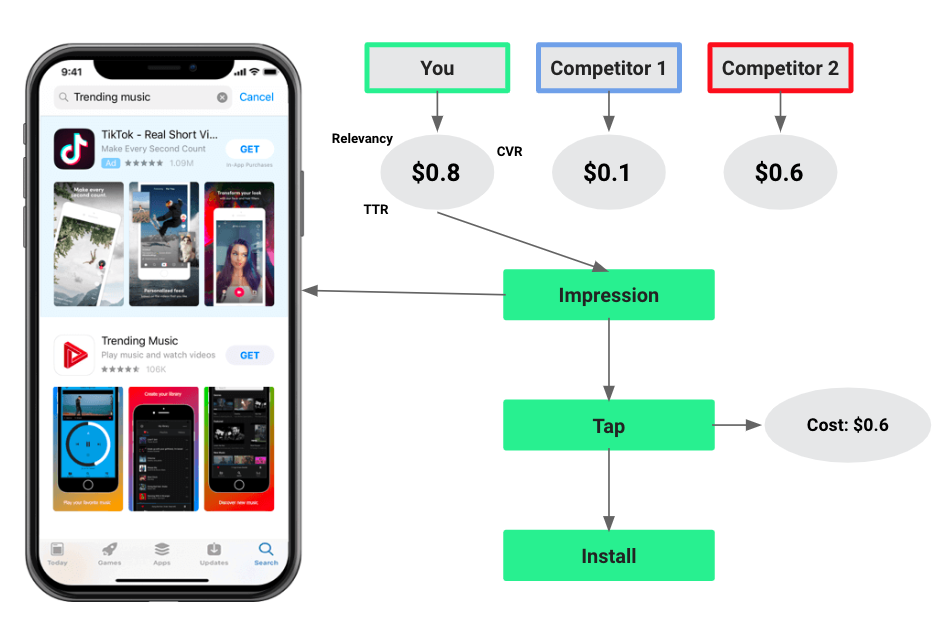
Apple Search Ads (ASA) offers an opportunity for app developers to get their apps noticed by showcasing them at the top of search results in the Apple App Store. When users search for apps, those with relevant keywords can appear first, making them more visible and likely to be downloaded.
This project aimed to create a realistic simulation of ASA that app marketers can use to test and evaluate different bidding strategies, set realistic targets, and allocate the appropriate budgets to their campaigns.
ASA’s auction is a second-price auction. This means you pay the second-highest bid competitors were willing to make per tap. It’s a balancing act; Bid too high, and you might overpay. Too low, and you miss out on visibility. Finding an effective bidding strategy and managing hundreds of keywords is a daunting task that requires a lot of time and effort from marketers and app developers.
Project Overview
-
Collected, cleaned, and analyzed real ASA keyword-level data from several different apps
-
Conducted a thorough research on ASA’s auction mechanics and created an outline for the simulation logic
-
Identified patterns in keyword data and defined key attributes
-
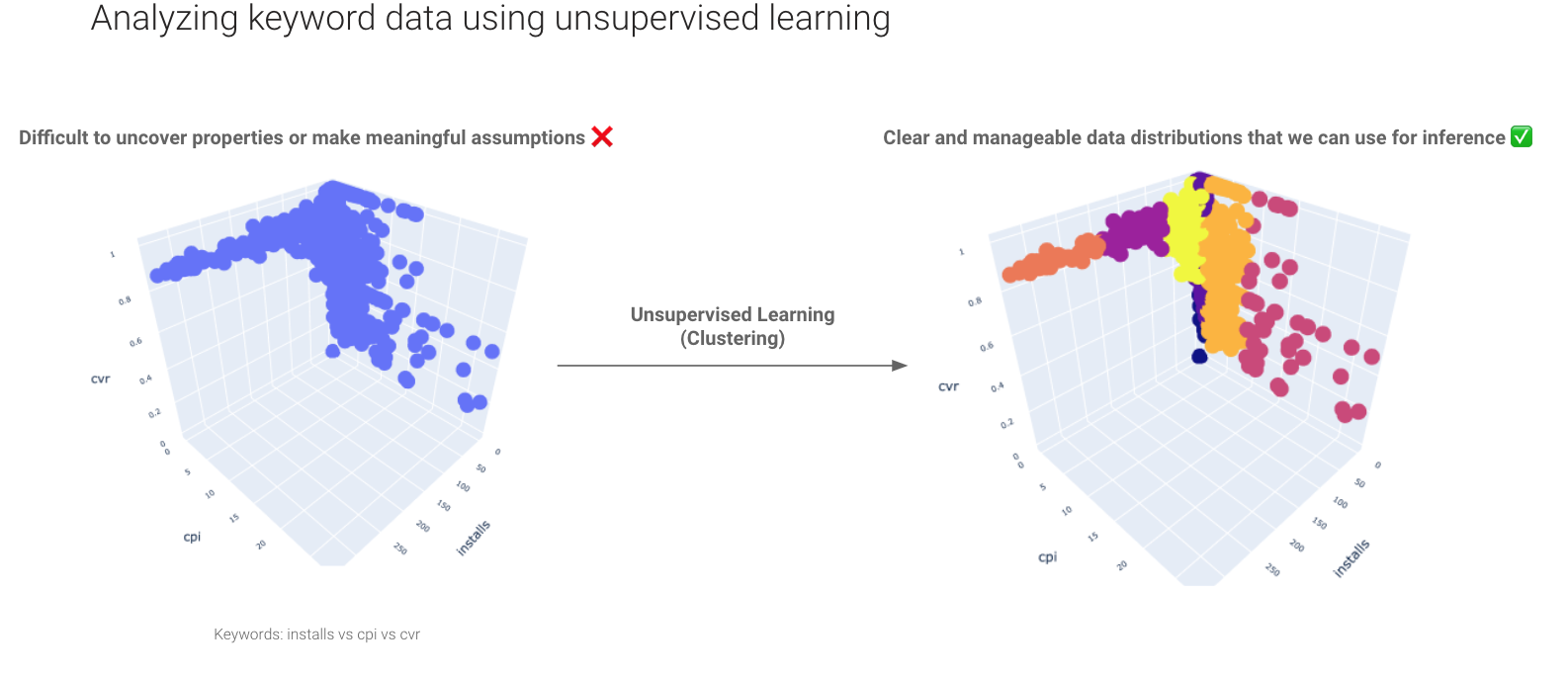
Used Unsupervised Learning techniques to cluster keywords based on their similarities
-
Uncovered 7 different keyword clusters:
- Cluster 0: Unexplored keyword
- Cluster 1: High volume, low cost, high conversion
- Cluster 2: Mid volume, low cost, high conversion
- Cluster 3: Low volume, low cost, high conversion
- Cluster 4: Low volume, mid cost, mid conversion
- Cluster 5: Low volume, very high cost, low conversion
- Cluster 6: Low volume, high cost, mid conversion
-
Used keyword clusters and their attributes (CVR, TTR, CPA, etc.) to power the auction simulation
-
Budget constraints, competitor generation, seasonality, and dynamic changes in cost-per-tap are among the capabilities of the simulation
How It Works
The simulation can be run either using a single keyword or multiple keywords (campaign). The keywords can be selected using their cluster labels, according to the type of keyword you would like to simulate.
After the keywords have been selected, the daily budget and simulation length in days must be inputted. As default, the simulation runs for 30 episodes. You have the option to run the simulation without any budget constraint. This is useful when trying to determine the appropriate budget for a certain campaign you plan on running.
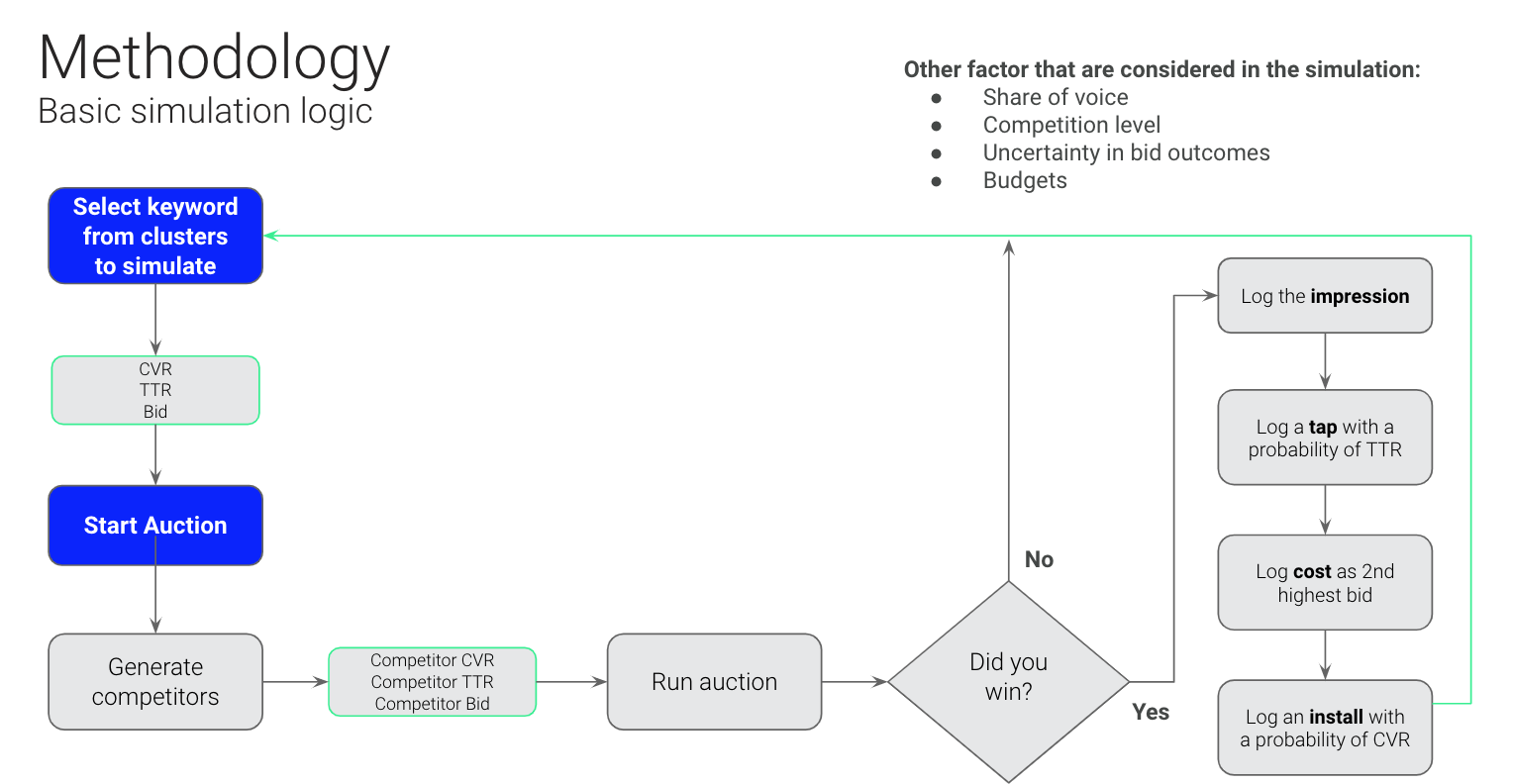
After starting the simulation, impression opportunities will be generated based on each keyword’s historical cluster data. Competitors are dynamically and randomly generated during each impression opportunity (auction) and are scaled using the cluster’s historical data distribution.
There’s the option of increasing or decreasing the competitiveness level manually as well as changing the keyword bids.
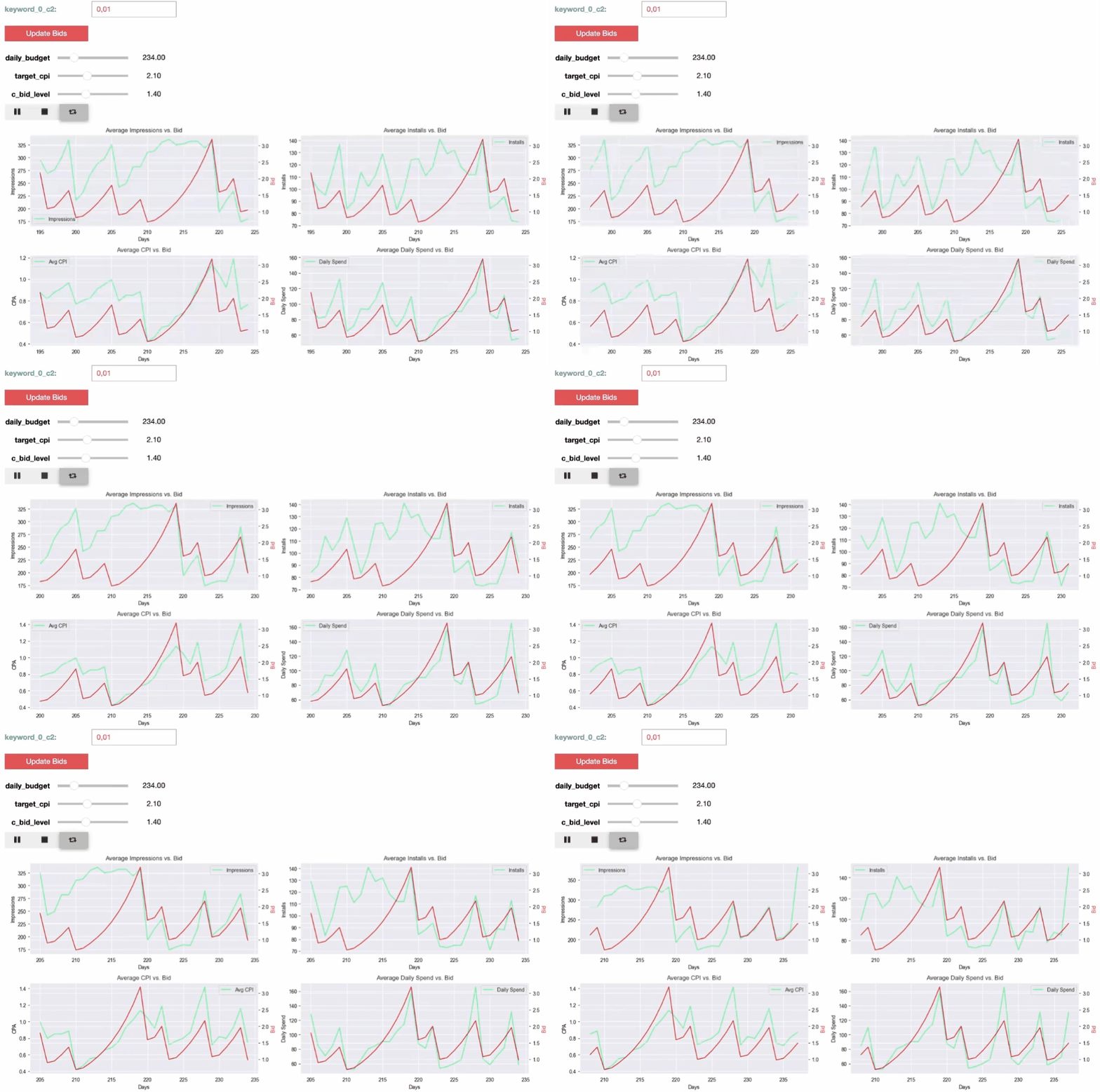
Example:
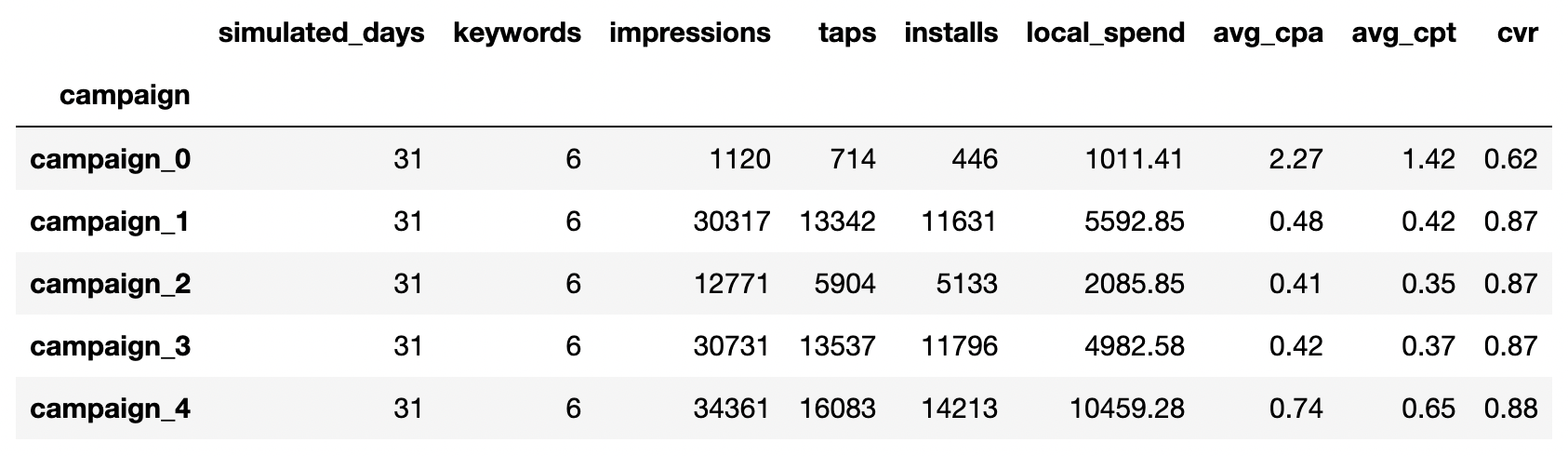
Simulating 6 campaigns with different keyword compositions to estimate installs, spend and cost-per-install